Basic shapes
Free · 5Rectangle, triangle, polygon, ellipse and straight line. The foundation of steady line control.
For iPad & iPhone
Draw Practice Lab turns art fundamentals into short drills. Draw a line, an ellipse or a perspective cube with Apple Pencil, see exactly where it drifted, and try again.
Free to download · 5 exercises free · one-time unlock, no subscription
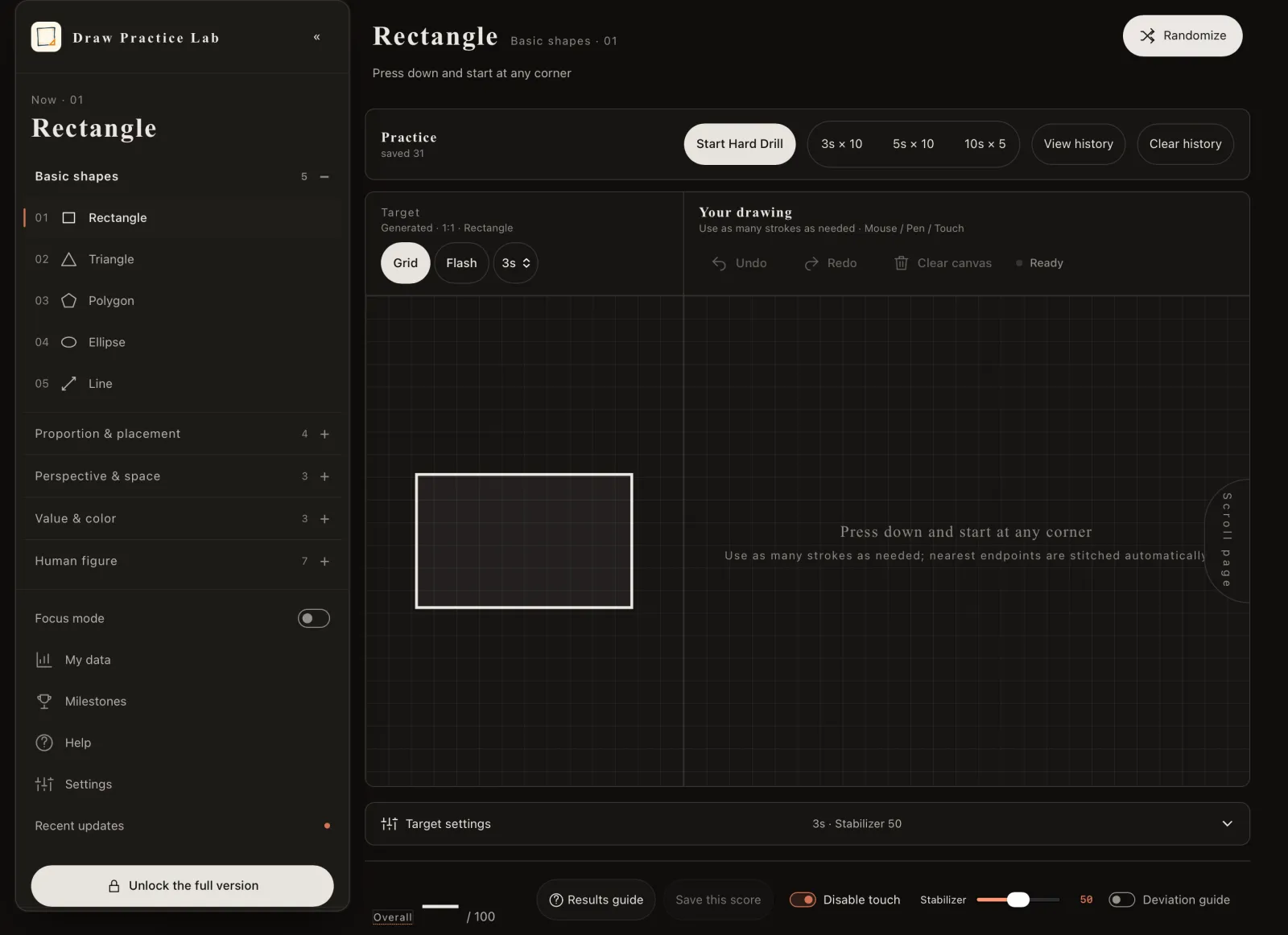
Each round takes seconds, so you can repeat it until your hand learns the move.
Study the shape, or flash it for a few seconds to train visual memory.
Use Apple Pencil or touch. Pressure, multiple strokes and stroke stabilisation are supported.
Get a score plus concrete notes, such as “the axis tilts 13°” or “the outline isn't closed”.
Start with clean lines and simple shapes, then move on to proportion, perspective, value and the human figure. Targets can be adjusted or randomised so no two rounds are the same.
Rectangle, triangle, polygon, ellipse and straight line. The foundation of steady line control.
Overall proportion, midpoint, angle judgement and line ratio. Train your eye to measure.
Perspective cubes, block completion and 3D spatial positioning with a rotatable reference.
Judge lightness, read the value structure of a lit sphere and match colors.
Body planes, head placement, body parts, and male and female muscles and bones on interactive 3D models.
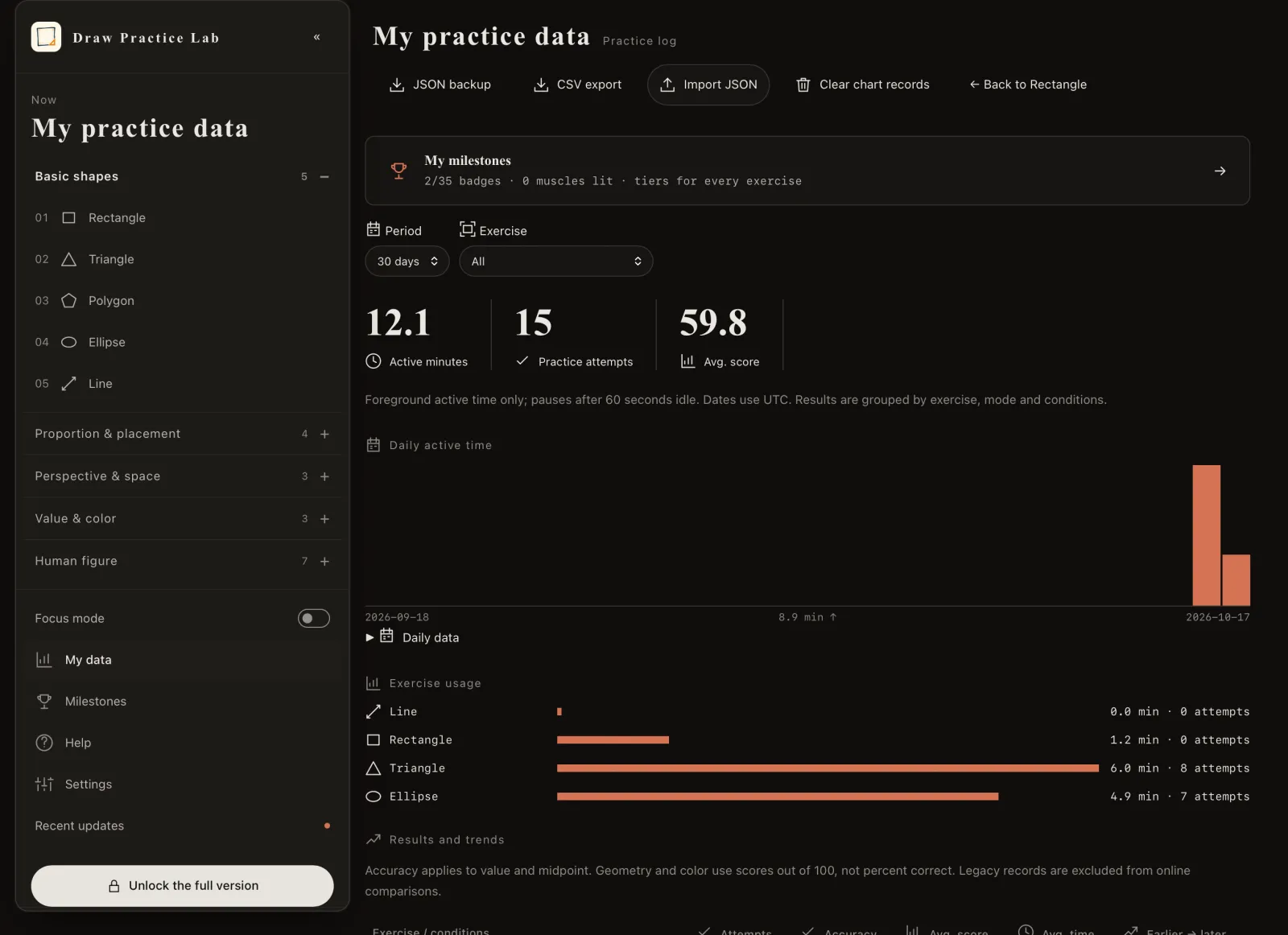
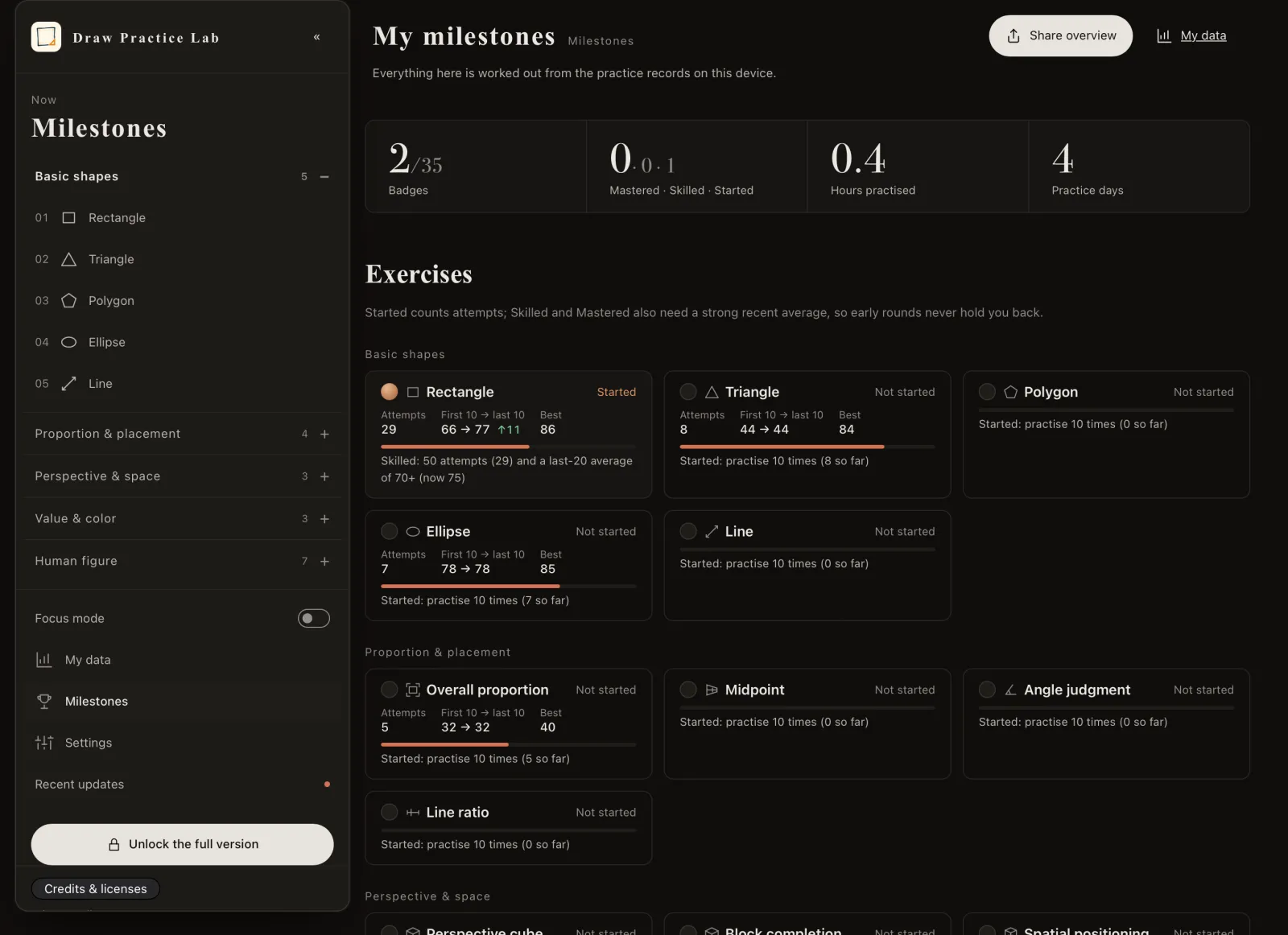
Every saved attempt feeds your practice log, so improvement shows up as numbers rather than a feeling.
Drawings are analysed locally. Strokes are never uploaded.
No sign-up, no ads, no tracking, no analytics in the app.
Geometry-based measurement rather than an AI guess. The same drawing always scores the same.
Try the basics for free. Unlock everything else once and keep it.
Free download
One-time in-app purchase
No. Apple Pencil gives the most natural feel, but every exercise also works with your finger.
The app is free to download and the five basic shape exercises are free. A single one-time Full Version purchase unlocks every advanced exercise. There is no subscription.
No. Drawing analysis runs on your device and practice records stay on your device. The app has no account, ads or tracking. See the privacy policy.
No. Each attempt is measured geometrically against the target, so the same drawing always gets the same result and the feedback names what to change.
English, Simplified Chinese, Traditional Chinese, Japanese and Korean.
Draw Practice Lab is coming to the App Store for iPad and iPhone.